CS-1 twochannels · built in
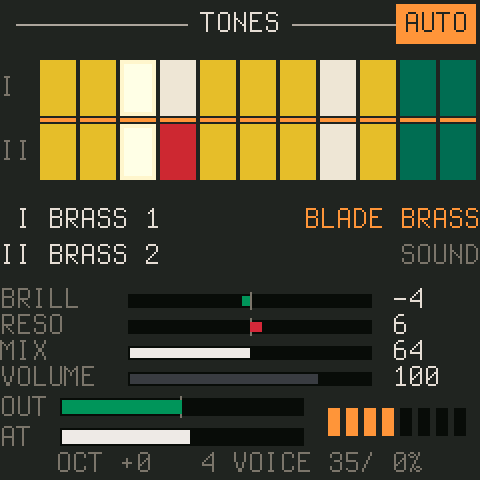
Start: play the keys; it's a CS-80-style poly with two layers.
- PRESETS: its sounds and your presets
- SELECT: the ribbon (bends)
- ALGORITHM: the next tone or page
- Press harder: aftertouch


fm1-dock is one firmware with many synths in it. You install it once; the synths are modules you switch between with HOME, and you add or remove them from the page. It runs on the M-VAVE FM-1 and on the M-Vave SMK-37.
The synth's name, then 2CPU 44%: both cores running, and how much of the time the last sound block
took. 1CPU: one core (after a crash, until power-off). OCT +0: the octave.
BT: a Bluetooth device is connected.
fm1-dock is the firmware; the synths are modules inside it. You install fm1-dock once, then add and remove synths from the page without installing anything again.
Open the page in Chrome or Edge on a computer or an Android phone.
Plug in the FM-1 or SMK-37 with a USB data cable and press Connect over USB. The panel at the top shows what it runs. If it doesn't say fm1-dock, press Install there first.
Scroll down to Modules. Find the synth (search, or the Add-ons filter) and press Add to my FM-1. Say yes to the question; a bar shows the sending (a few seconds to a minute).
When the card says ✓ Installed, go to the unit: hold HOME (1.5 s in most synths), turn SELECT to the new synth, press SEL.
Add is grey, or the synth doesn't show up? If it doesn't work
The add-ons share 296 KiB on the FM-1 and 416 KiB on the SMK-37, plus, from fm1-dock 0.10, the room the package's built-in synths leave: on the FM-1 744 KiB in all with the Empty dock, 472 with Standard. The meter above the catalog shows what is in it; each added synth has a Remove button there. Most synths take 6 to 60 KiB; ESQ-1 and ORRERY take over 100. A package with more built-in synths than the one you have may need the room an added synth sits in: the install then stops before it writes anything and names the synths to remove first.
From fm1-dock 0.10. What you save in a synth stays on the device, in nine banks that all synths share. Under the meter, Presets lists what each synth has saved:
.hbk file. Do it before you delete or
experiment.Removing a synth keeps its presets; they are listed as "of synths no longer on the device" and come back when you add the synth again, unless another synth's save needed the bank.
Every synth saves in its own way, and some cannot save a sound at all. The names are the FM-1's; on the SMK-37 SAVE is BT, PRESETS is K4, SELECT is K2, ALGORITHM is K3, GLO is GLOBE and HOME is PATCH.
The free room can be in pieces: the total is enough, but no single piece is. Remove an add-on next to a gap and add the new one first; then add the removed one again.
A synth's own firmware (a .fwsc) replaces fm1-dock; it doesn't go in as a module. Only synths
ported to fm1-dock can be added: the ones in the catalog. Got a .dock file from a developer?
Drop it on the console's Deploy.
What each control does in the module list, in OPTIONS, and in a synth. In a synth most controls are the synth's own: its card below says what they do.
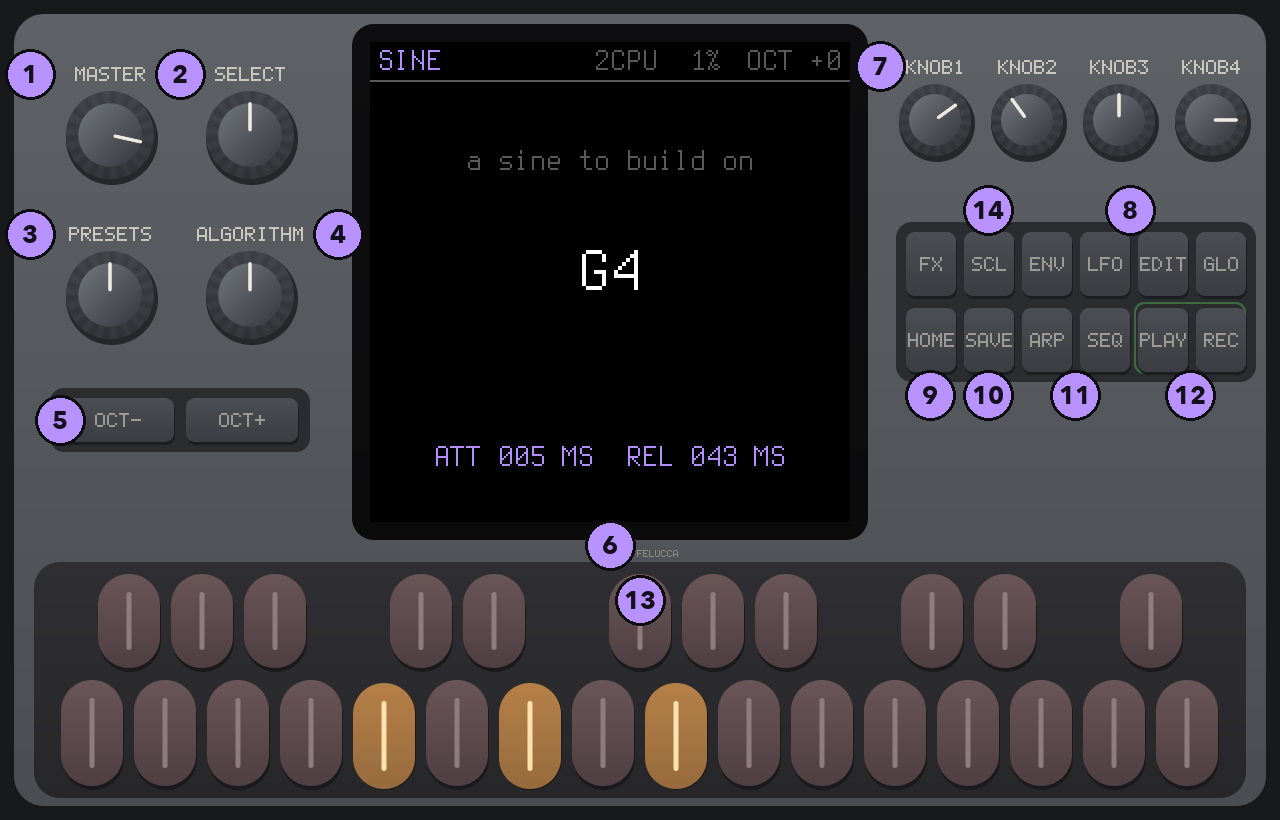
| # | Control | In the module list | In OPTIONS | In a synth |
|---|---|---|---|---|
| 1 | MASTER | The volume, everywhere (with MASTER CC7 it also sends CC 7) | ||
| 2 | SELECT | Move up and down | Move; on the EQ page, pick a band | The synth's |
| 3 | PRESETS | Move up and down | Move | The synth's: usually its sounds |
| 4 | ALGORITHM | – | On the EQ page, turn the band | The synth's |
| 5 | OCT− OCT+ | The octave. Held at power-on: safety nets | ||
| 6 | The screen | The top line (above), then the list or the synth's own screen | ||
| 7 | KNOB1–4 | – | On the EQ page, KNOB1–3 turn LOW, MID, HIGH | The synth's; with KNOBS CC on they send MIDI instead |
| 8 | FX ENV LFO EDIT GLO | – | – | The synth's pages |
| 14 | SEL (the 2nd button of the top row) | Load the synth | Change the line | The synth's |
| 9 | HOME | Load the synth | Back to the list | Tap: the synth's. Hold alone 1.5 s: the module list (PROPHET and SINE: a tap) |
| 10 | SAVE | – | – | The synth's (saving its presets) |
| 11 | ARP SEQ | – | – | The synth's |
| 12 | PLAY REC | PLAY: load the synth | PLAY: change the line | The synth's: starts drones and sequences |
| 13 | The keys | Play, with velocity and pressure on the force-sensed rows (in the synths that use them) | ||
The FM-1 also has a TRS MIDI IN jack: notes from a keyboard or sequencer play the synth (and go on to USB and Bluetooth with MIDI THRU on).
fm1-dock treats the SMK-37 as an FM-1 with extras. The middle 27 keys are the FM-1's keys; the outer keys, pads, faders and wheels play the synth as MIDI and go out over USB too. Where a synth's manual says KNOB1–4, use K5–K8. The labels printed under the keys and pads (CHN, PRE, 1/4, ▶ ❚❚ …) belong to M-Vave's own firmware: fm1-dock doesn't use them.
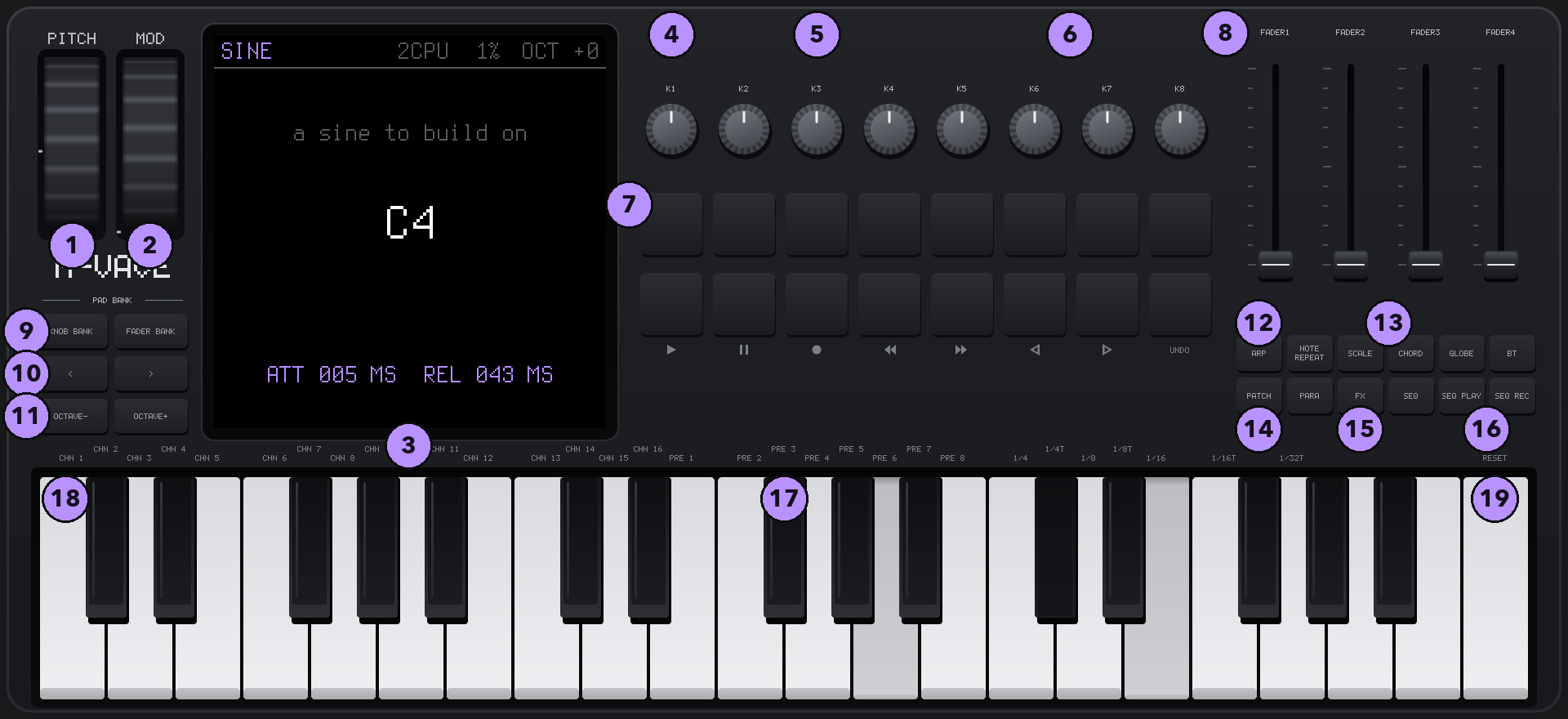
| # | SMK-37 | Is the FM-1's | What it does |
|---|---|---|---|
| 1 | Pitch wheel | – | Pitch bend to the synth |
| 2 | Mod wheel | – | CC 1 (modulation) to the synth |
| 3 | The screen | The screen | As on the FM-1 |
| 4 | K1 | MASTER | The volume |
| 5 | K2 · K3 · K4 | SELECT · ALGORITHM · PRESETS | Move in the list; the synth's in a synth |
| 6 | K5 · K6 · K7 · K8 | KNOB1 · 2 · 3 · 4 | The synth's knobs; EQ bands on the EQ page |
| 7 | 16 pads | – | Notes 36–51 on channel 10, with velocity (bottom row 36–43, top row 44–51, left to right); a hit lights the pad |
| 8 | 4 faders | – | CC 70, 71, 72, 73 on channel 1 |
| 9 | KNOB BANK · FADER BANK | – | The synth’s, if it uses them (Scintilla: FADER BANK what the faders do, KNOB BANK the layer); unused otherwise |
| 10 | < · > | – | The synth’s, if it uses them (Scintilla: the previous / next page); unused otherwise |
| 11 | OCTAVE− · OCTAVE+ | OCT− · OCT+ | The octave. At power-on: OCTAVE− the USB rescue, OCTAVE+ the safe start |
| 12 | ARP | ARP | The synth's |
| 13 | NOTE REPEAT · SCALE · CHORD · GLOBE · BT | LFO · SEL · ENV · GLO · SAVE | SCALE loads the synth picked in the list; the rest are the synth's |
| 14 | PATCH | HOME | The module list (in most synths: hold it alone 1.5 s) |
| 15 | PARA · FX · SEQ | EDIT · FX · SEQ | The synth's |
| 16 | SEQ PLAY · SEQ REC | PLAY · REC | Start drones and sequences; load the synth in the list |
| 17 | Keys F3–G5 (the middle 27) | The keys | Play, with velocity (the unit's own factory curves) |
| 18, 19 | Keys C3–E3 and G♯5–C6 | – | Notes below and above, as MIDI, with the octave and velocity |
The SMK-37 has no MIDI IN jack, so MIDI THRU and the TRS test don't apply. It has more room for add-ons than the FM-1: 416 KiB in two areas (288 + 128). Before installing on an SMK-37, read SMK37.md (make a full backup first).
Past the last synth in the list. SEL changes a line, HOME goes back. They apply to every synth and are kept.
| Line | What it does | When you want it | Default |
|---|---|---|---|
| CC7 VOLUME | MIDI CC 7 sets the level of whatever plays, on top of MASTER (the line shows the level when it is under 127) | A computer or controller rides the volume | OFF: CC 7 goes to the synth |
| MASTER CC7 | Turning MASTER sends CC 7 on the keys' channel, over USB and Bluetooth | MASTER should set a computer's volume too | OFF |
| MIDI CH | ALL, or 1–16: only that channel gets in (the synth hears it as channel 1), and the keys send on it | Several instruments share one MIDI line | ALL (OberVave's tracks want ALL) |
| LOCAL | OFF: the keys only send MIDI, the synth plays only what comes in | Recording into a computer that plays it back (no doubled notes) | ON |
| EQ | LOW (150 Hz), MID (1 kHz), HIGH (6 kHz), ±12 dB, for every synth. SEL opens its page: SELECT picks, ALGORITHM or KNOB1–3 (K5–K7) turn, SEL switches it on/off or puts a band back to 0 dB | Tame or brighten the speaker or a PA | OFF (a boost can clip a loud synth) |
| KNOBS CC | KNOB1–4 send CC 74, 71, 73, 72 (cutoff, resonance, attack, release) over USB and Bluetooth, on a synth's own screen (in the list they move the list) | The FM-1 as a controller for a computer synth | OFF |
| AFTERTOUCH | SEL steps through AS IS, CHANNEL, MOD WHL and FILTER: how pressing a held key harder (and an external keyboard's aftertouch; the SMK-37's own keys sense none) reaches the synth. AS IS: as it comes, per key. The others: the hardest-pressed key, as channel pressure, the mod wheel (CC 1) or the filter (CC 74) | Pressure on a synth that ignores it: MOD WHL for vibrato, FILTER to open it up | AS IS |
| EFFECT | One effect under whatever synth plays. Effects are add-ons: CHORUS, FLANGER, DELAY, PHASER, TREMOLO, DRIVE and CRUSH are in the catalog (Effects; listen to them), added as a synth is. SEL opens its page: SEL there picks the next effect in the dock or OFF, KNOB1–4 its values | A dry synth that wants width, an echo or some grit; a heavy synth may drop it (TOO SLOW) | OFF |
| PADS | SMK-37 only. NOTES: drum notes 36–51 on channel 10. OFF. CHORDS C … B: the bottom row plays the key's seven chords (and the first an octave up), the top row the same with a seventh; a knob (or SCALE) picks the key | Chords under one finger; OFF when the pads play unwanted low notes in a synth | NOTES |
| MIDI THRU | The TRS jack's MIDI (not clock or SysEx) goes on to USB and Bluetooth; the synth plays it too | A hardware keyboard through the FM-1 into a computer | OFF |
| ABOUT | SEL opens a page: the fm1-dock version (a release's with its source, 0.8.2 (abc1234); any other build is its source, 2dcbfbf+), the model, one or two CPU cores, the chip, the flash chip's id and size, the RAM for synths, the room left for add-ons (all of it and the largest piece), the Bluetooth address, and every synth with its version and size. SELECT scrolls, HOME goes back | Asking for help, or checking what a unit runs | – |
| BLUETOOTH | Bluetooth MIDI. OFF; ON (advertising as FM1-DOCK xxxx); LINKED (connected); READY (connected and listening); HELD (saved ON, but not started after a safe or failed start: switch it again); NO CAL (the unit's radio calibration from the stock firmware isn't there: the radio is never started); MISSING (the Bluetooth part of fm1-dock is damaged: install again) | Play from a phone, a tablet or a computer without a cable | OFF |
Bluetooth: turning it on pauses the sound for about 0.2 s while the radio calibrates. On a Mac: Audio MIDI Setup → MIDI Studio → the Bluetooth button → Connect. In Chrome or Edge, Test MIDI connects directly. More in the README.
How to get a sound out of it, the controls worth trying first, and where its author explains the rest. Each synth is its author's own program: its manual is the full story.
Start: play the keys; it's a CS-80-style poly with two layers.
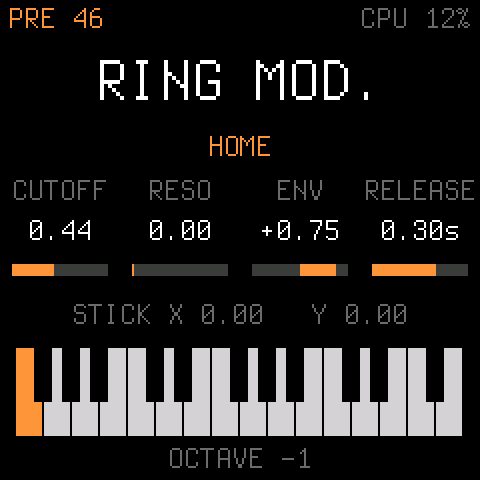
Start: play the keys: the 1981 Elka Synthex, 80 factory sounds.
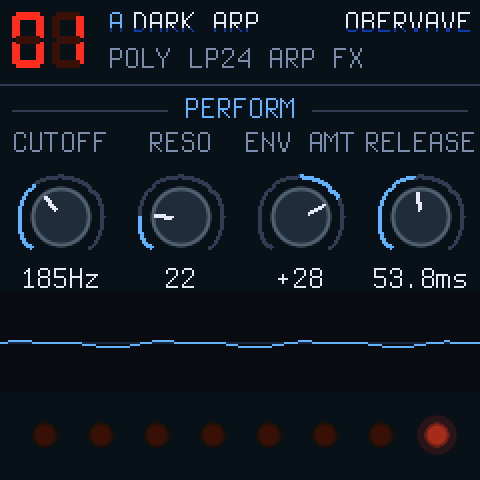
Start: play the keys; four tracks of an analog-style poly with arpeggiator, sequencer and effects.
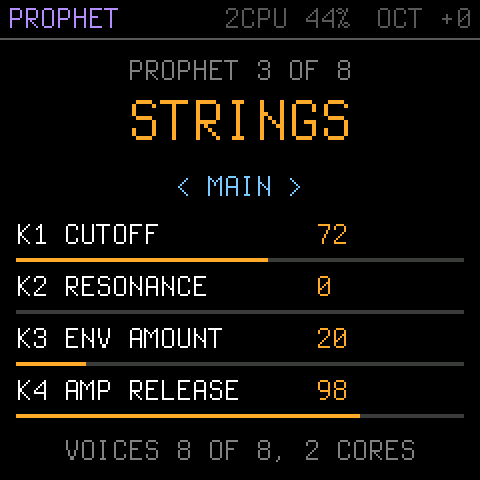
Start: play the keys; a Prophet-5 Rev 4, eight voices.
tools/dock.py send FILE.syx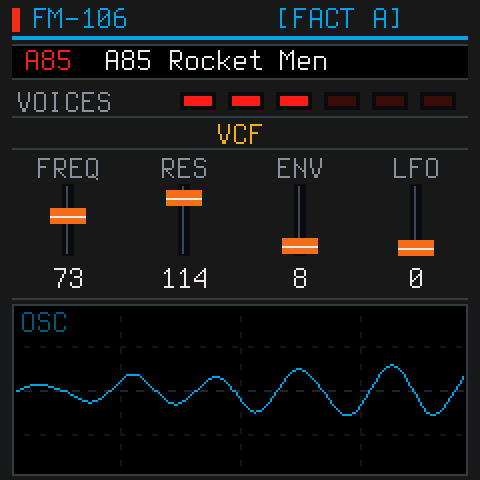
Start: play the keys; the Roland Juno-106, six voices, 128 factory presets.
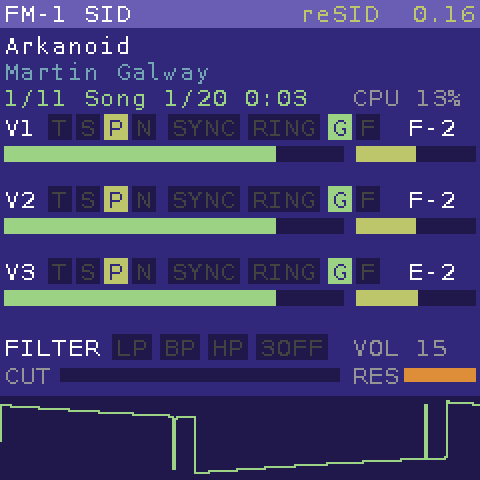
Start: play the keys for its synth; its songs and their GoatTracker editor are on the knobs.
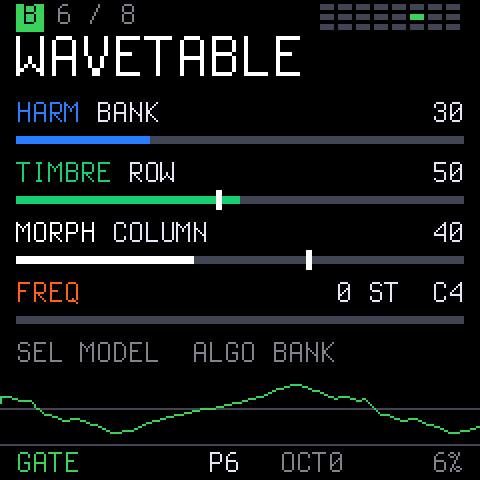
Start: hold a key: a mono macro-oscillator, 24 models.
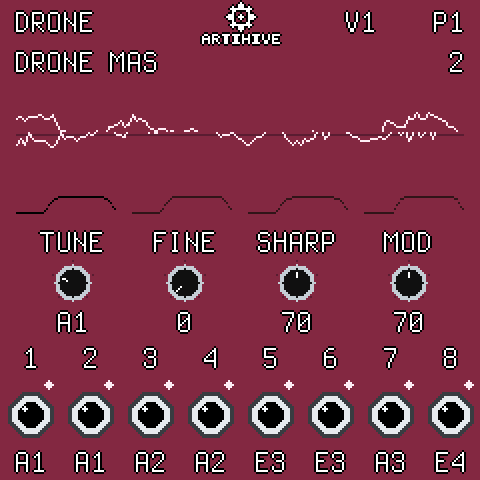
Start: silent until you press PLAY: eight drones on four FM pairs.
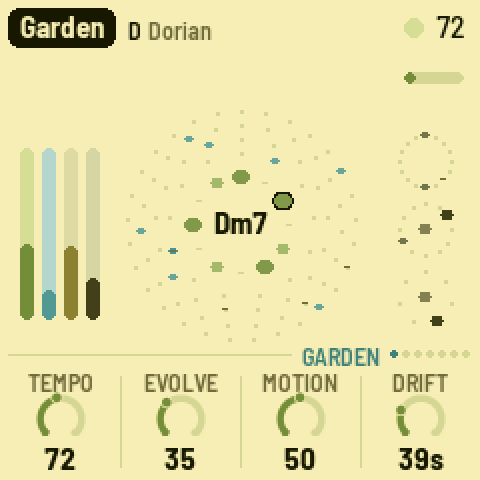
Start: it plays itself: pads, bells on tape loops, a gliding bass.
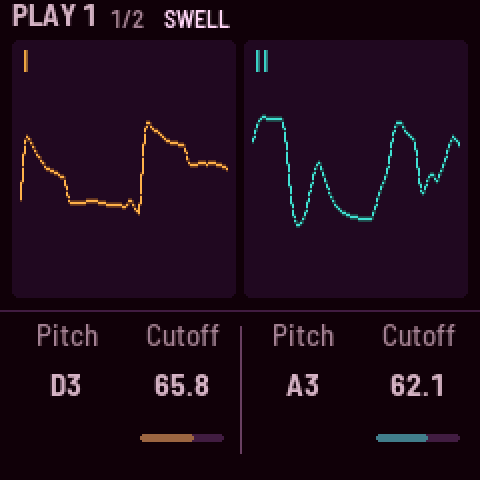
Start: press PLAY: two drones fade in and drift.
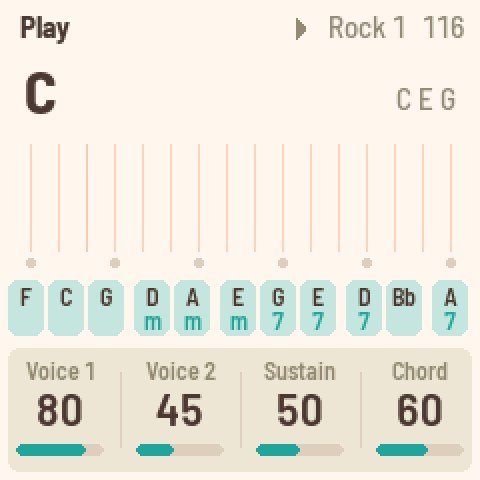
Start: hold a black key for a chord, then strum the white keys.
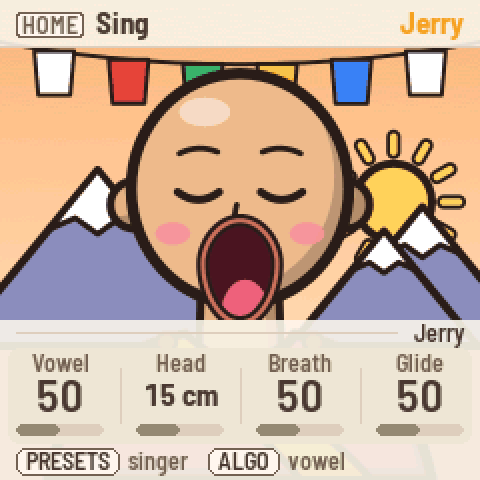
Start: play the keys: a singer. Velocity and pressure shape the voice.
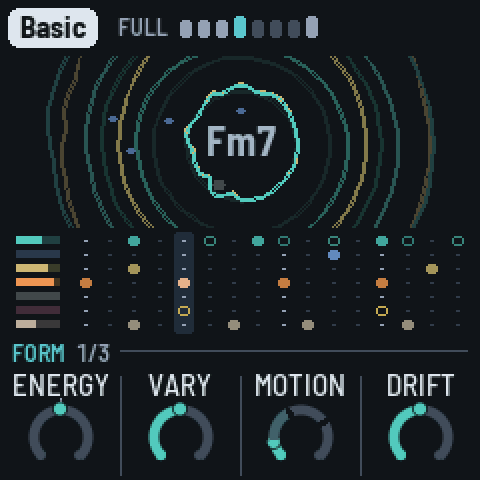
Start: it plays itself once its launch screen is over: dub techno.
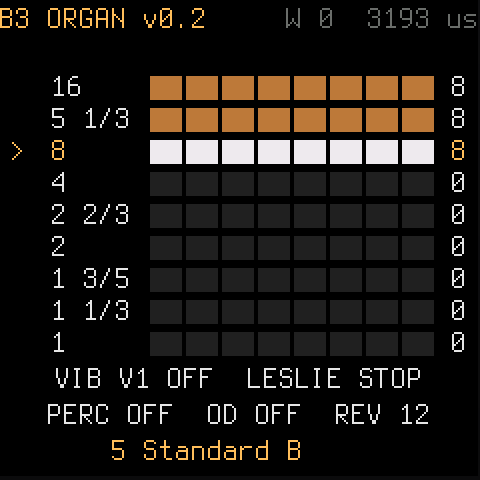
Start: play chords: a tonewheel organ.
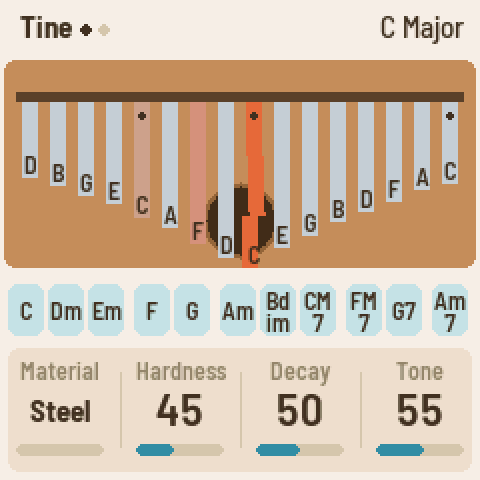
Start: the white keys are tines; the black keys roll chords.
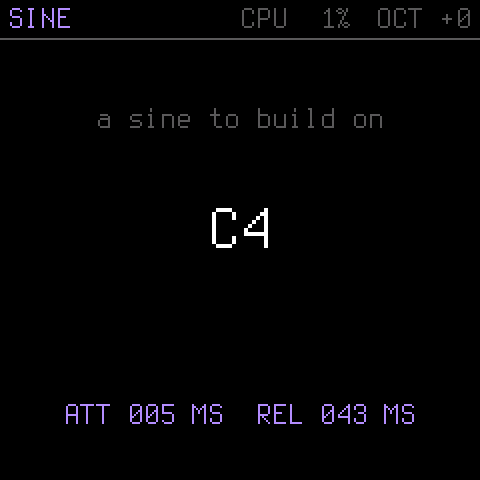
Start: play the keys: a plain sine.
Hold the key from before you switch on until the screen shows something.
A synth that can't keep up is stopped and the sine plays, so USB keeps working. Play fewer notes, pick a lighter
sound, or check that the top line says 2CPU. A synth that crashes twice in a row is skipped at the
next start until you pick it again.
After a crash with both cores, fm1-dock runs on one until power-off. Right after installing fm1-dock the first start can show it too. Switch off and on: both cores come back.
Use the right adapter (if nothing arrives, try the other type: A or B). Test MIDI's TRS test times every note through the jack and tells you if it works.
The Add button grey, the synth not in the list, "no space": Adding synths.